What the apps do.
Each item works in the Android app and in the web app unless it is marked. There are no paid features: every plan, the free one too, has all of them.
Many vaults
Keep work, family papers and photos apart. Opening one vault does not open the others.
Home vault
Your account's own vault. It opens when you sign in, so everyday files need no extra password. On your phone it opens with a tap.
Recovery key
Every vault gets 12 words when you make it. They open the vault if you forget its password. You can see them again inside the open vault.
Open vault
Type a password or a recovery key, and the vault it belongs to opens. This is also how a vault comes to a new device.
Close a vault
Take a vault off the list without deleting it. It comes back when you open it with its password.
Phone copy and cloud copyAndroid
Choose for each vault whether it is kept on the phone, in the cloud, or both, and change it later.
Import a vault file
Bring back a vault saved with Export vault, as the vault it was or as a separate one. The vault opens at once and its files come in behind it. Pause or stop it, and go on later from where it got to. On Android it goes on in the background, also with the vault locked.
Move to another account
Give a vault with a cloud copy to another Stonesafe account. A code sent to that account's email confirms it. Nothing is uploaded again, so a large vault moves at once. The home vault stays with its account.
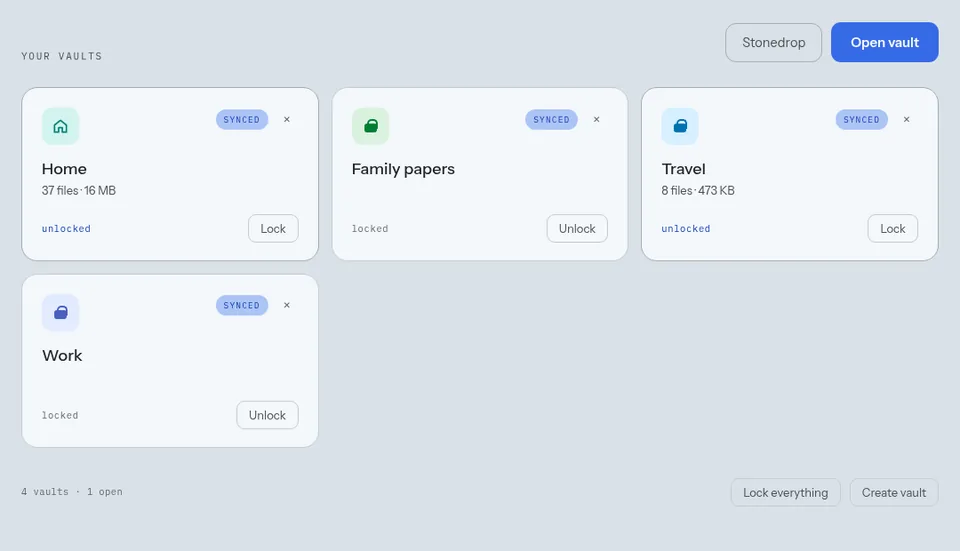
One vault, five ways to look at it.
The files stay where they are. The mode changes how the vault shows them.
Files
Folders and file names, with search, sort, filters and pins.
Gallery
Every photo and video as a grid of pictures.
Audio
Music and recordings by folder, with playlists and the sounds you left halfway.
Video
Every video of the vault, by folder, with playlists and the videos you left halfway.
Notes
A notebook made of the text files in the vault's Notes folder.
Open in
Pick the mode each vault opens in, or let it open where you left it.
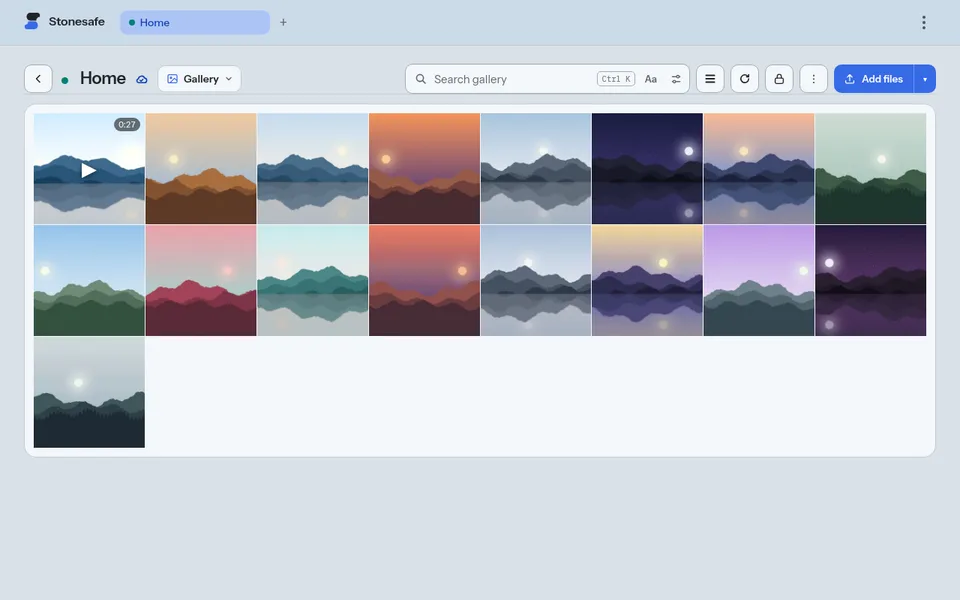
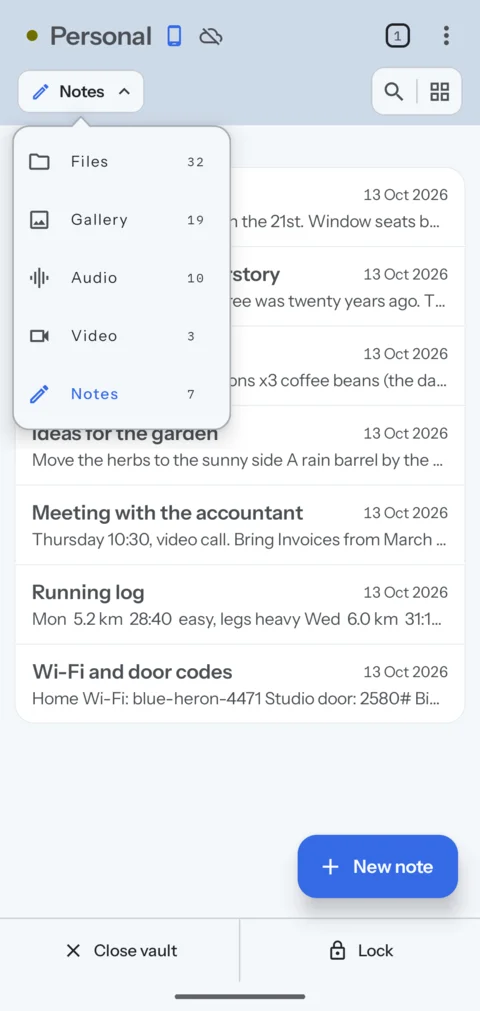
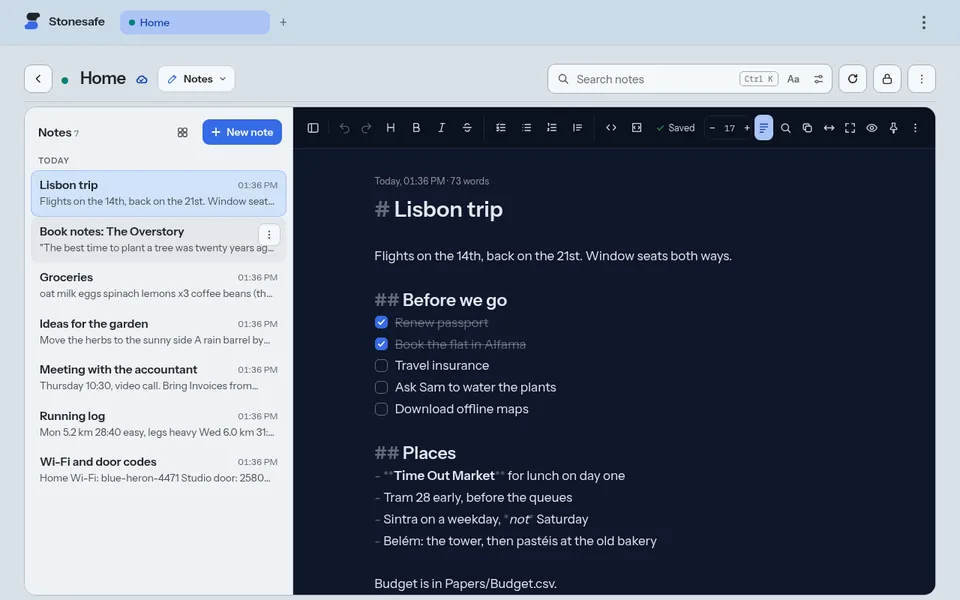
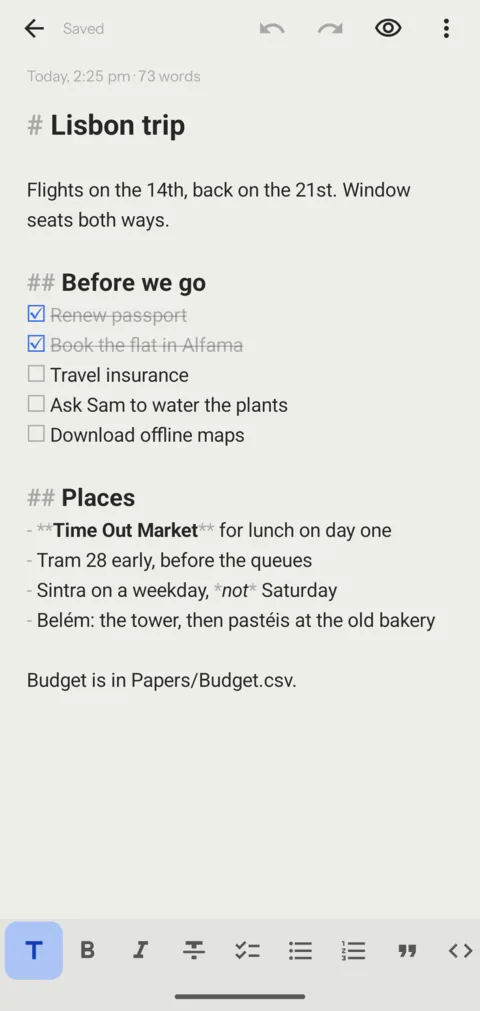
Notes that are files in your vault.
Each note is a text or Markdown file in the vault, encrypted like any other file. If you ever leave, you download your notes as files any app can open.
No Save button
No title field either. The first line is the title, and the note saves a second after you stop typing.
Plain or Markdown
A note starts as plain text. Turn on Markdown and you get a format bar: headings, bold, lists, checklists, quotes, code, links, tables.
Checklists
Tap a box to tick it. The note stays plain Markdown that other apps can read.
Pinned, then by day
Pin the notes you need often. The rest sort under Today, Yesterday, Last 7 days and so on, as a list or a grid.
Search
Search finds words inside every note, not only titles, and marks what it found.
Two devices at once
Type on your phone and the words show on your computer a moment later. If both change the same note, both changes stay in it.
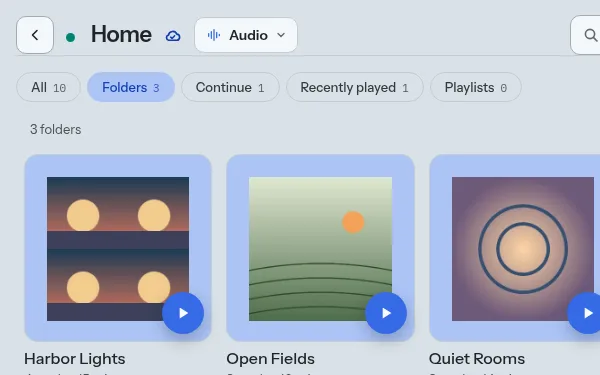
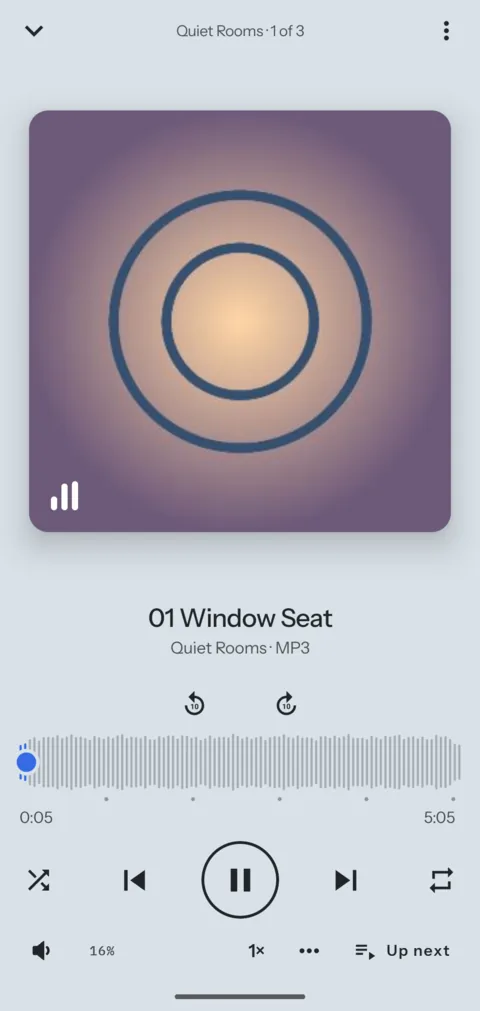
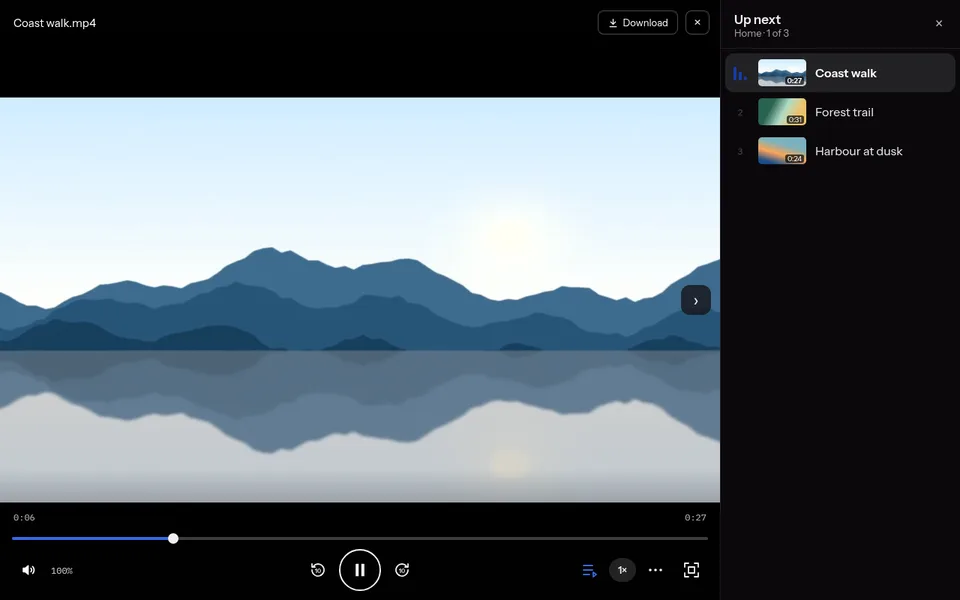
A music player and a video player, inside the vault.
Folders and covers
Each music folder is a card with its cover. Play it, shuffle it, or open it to see the tracks.
Resume
Audio offers the list you played last, at the track you stopped on. Video shows the videos you left halfway under Continue watching.
Folder and playlist pages
Each folder and playlist opens on its own page, with Play, or Resume where the list stopped. Sort tracks by Last played.
Playlists
Add a track or a whole folder. Playlists live with the files, so they sync with them.
Speed, boost and sleep timer
Play from 0.5× to 2×, turn the volume up to 150%, pick a bass, voice or treble sound, and stop after a set time.
Plays in the backgroundAndroid
Music goes on with the screen off and the vault locked. The lock screen shows the app's name, never the file name.
Video that starts at once
Video streams from the cloud. Drag along the bar and a small frame shows where you will land.
Up next
Play a list of videos and the next ones show with it, each with its frame.
Streamable copies
Optional. A large or HDR video gets a lighter copy that plays on a slow line. Off until you turn it on, because it uses storage.
Gestures
Swipe on the right side of a video to change the volume, and skip 10 seconds back or forward from the buttons.
Page by page or as one long scroll, with a grid of pages to jump around. It opens at the page you left.
Books
EPUB books with their contents, your text size, and your place kept.
Paper colours
White, paper, sepia, sage, mist, dark and navy, for text, books and PDFs.
Large text files
Logs and exports of many megabytes open at once and read as you scroll.
Tables and data
CSV and TSV files show as tables. JSON opens indented, with a tree one tap away. ZIP files open to browse without unpacking.
Extract all
Put every file of a ZIP file into the vault, in a new folder named after it. When all are in, the ZIP file can be deleted.
Write and edit
Edit text, Markdown, CSV, JSON and code inside the vault, with Find and a Markdown preview.
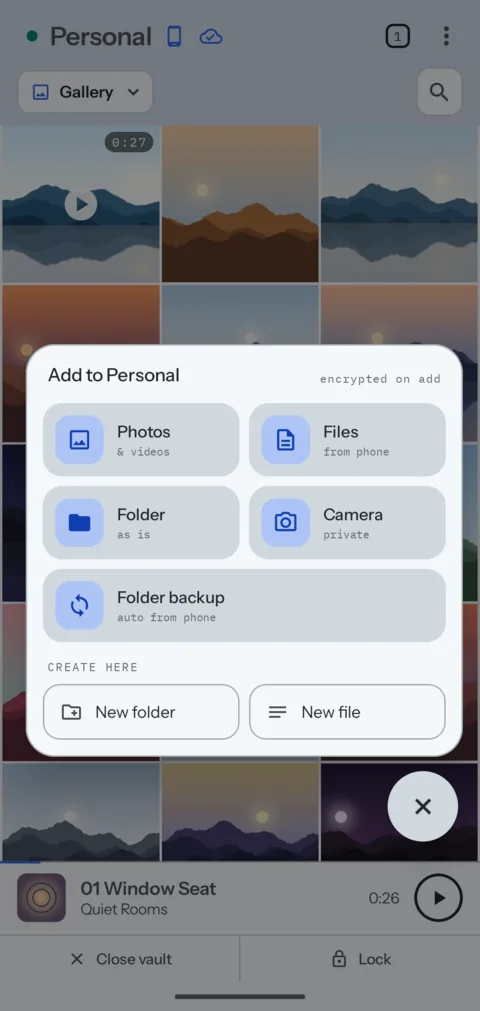
New photos go into a vault on their own.Android
Pick a folder on the phone, such as Camera or Screenshots, and a folder in a vault. New files in it are encrypted and added to the vault, even while the vault is locked.
Works while locked
The phone can add files to a locked vault but cannot read them back. They show up the next time you open it.
When it runs
Choose how often it looks for new files, and whether photos and videos wait for Wi-Fi.
Delete after backup
Optional. Once a file is safe in the vault, the original is deleted from the phone.
Access to one folder
The app gets access to the folder you pick, not to all your photos.
Open everywhere
Keep a vault open on your phone and your computer at the same time. Each one uploads and gets the other's changes.
Changes arrive live
A file added on one device shows on the other at once, without a refresh.
Nothing lost
When two devices change the file list at the same moment, both changes go in.
Faster unlocks
A vault you opened in the last 7 days unlocks in about a second on that device, not several. After a week without it, the full check comes back.
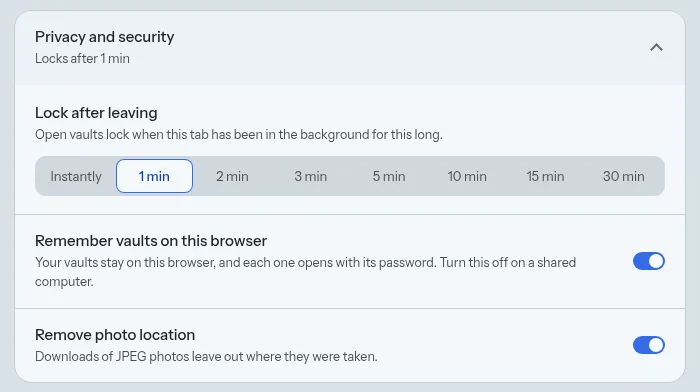
Lock after leaving
Choose Instantly, or 1, 2, 3, 5, 10, 15 or 30 minutes. When the app has been in the background that long, every vault locks.
Screen offAndroid
Turning the screen off locks every vault at once.
Lock everything
One button on the vault list locks all open vaults.
No biometrics
Vaults open with a password or recovery key, never with a fingerprint or a face.
Slow to guess
Each password try costs 1 GiB of memory (Argon2id). After three wrong tries in a row the app makes you wait, up to a minute.
Private screensAndroid
Screenshots, screen recordings and the recent-apps view show a blank screen. The keyboard is told not to learn what you type.
Folders, search and pins
Search by name, filter by kind or file ending, pin what you use often, and see the 30 files changed last under Recent.
Camera
Photos taken in the app go straight into the vault. On Android they never reach the gallery.
Trash
Deleted files wait in the vault's trash for 30 days. A vault with Phone copy off has no trash: delete there is final.
Import, then delete originalsAndroid
After you add files from the phone, the app offers to delete the originals.
Save a copy outside
When you need a file in another app, save a plain copy. The app says that the copy is not encrypted. A large save goes on while you use the rest of the app, and on Android also after the vault locks.
Remove photo location
Downloads and saved copies of JPEG photos can leave out where they were taken.
Share links
A link to one file, encrypted with a new key that only the link carries. It ends after 1 hour, 1 day, 7 days, or a time you choose up to 30 days.
Password and download limit
Ask for a password, and end the link after a number of downloads. See the time of each download.
Remove hidden details
The shared copy of a photo or PDF leaves out the camera, the dates, the place and the author.
Email when downloaded
Get an email each time someone downloads, or when a link ends with no download.
Update when I save
A link to a text file can show each new save at the same address.
Stonedrop
Send files from your device behind one link, without putting them in a vault. The person who gets it can download everything as one ZIP file.
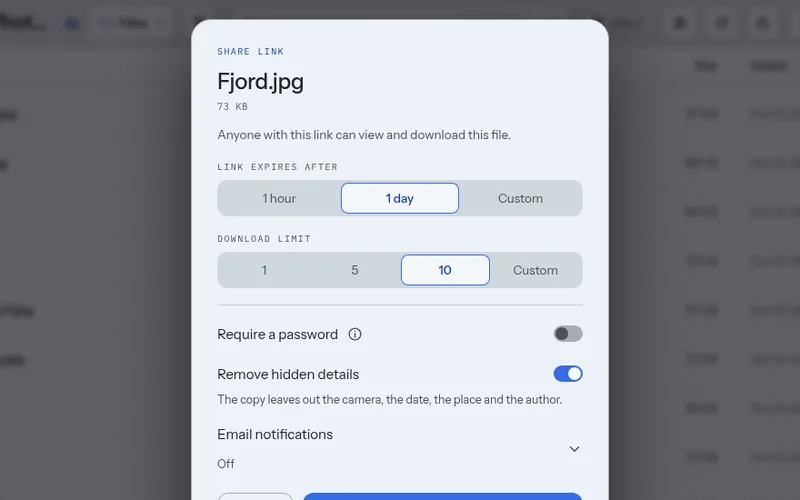
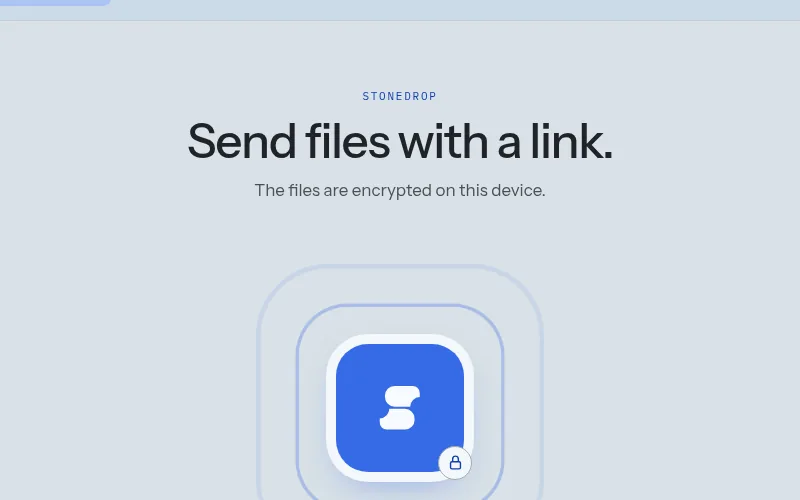
On the free plan a link lasts up to 24 hours and allows up to 10 downloads. Paid plans allow 30 days and 100 downloads.
Take your files with you.
Export files gives you a vault's files and folders as normal ZIP files, decrypted on your device. Any computer opens them without Stonesafe. It is on every plan, the free one too.
All or some
Export the whole vault, or tick files and folders in its tree. Notes come out as the text and Markdown files they are.
ZIP files of a set size
1, 2 or 4 GB each, or any size from 1 to 50 GB. Each ZIP file opens on its own, so a lost one loses only its own files.
Export vault
An encrypted copy of the vault as .stonesafe files, for a backup on a drive. Only the vault's password or recovery key opens them, in Stonesafe, on any device.
Email me a link
Start on your phone, save on a computer. We email your own address a link that works for 7 days. Its page asks for the vault password and decrypts in the browser. The email does not name the vault.
Runs behind
An export goes on after its window closes, with a card in the vault that shows how far it is. On Android it goes on with the app in the background and the vault locked, with a notification. In the web app, keep the tab open.
Password first
Both exports ask for the vault password, even when the vault is open. Someone who picks up your phone with a vault open cannot export it.
Large vaultsWeb
In current browsers each file is written to disk as it is made, so a vault does not have to fit in the computer's memory.
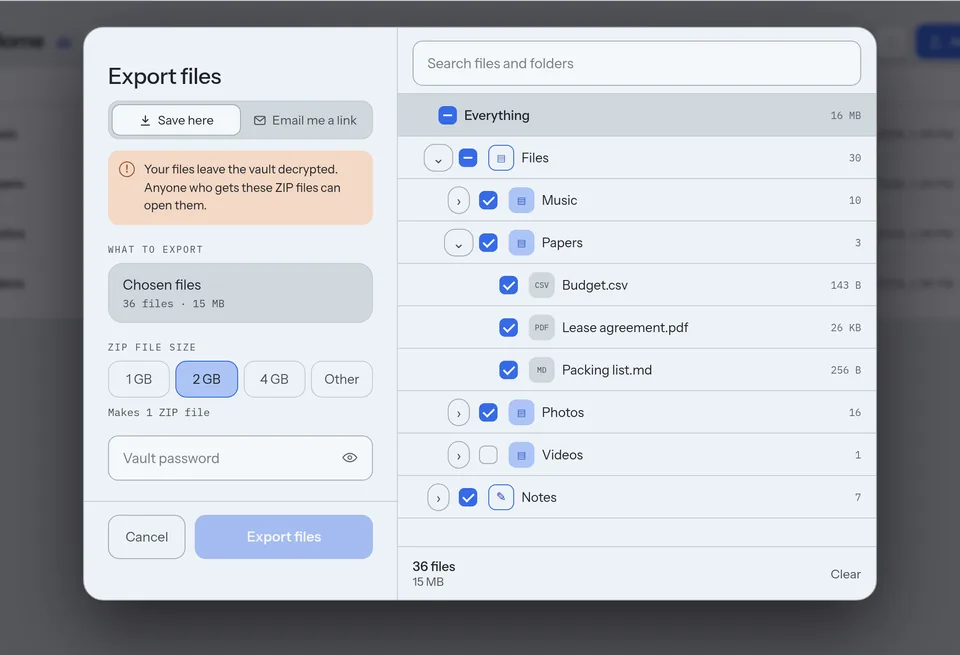
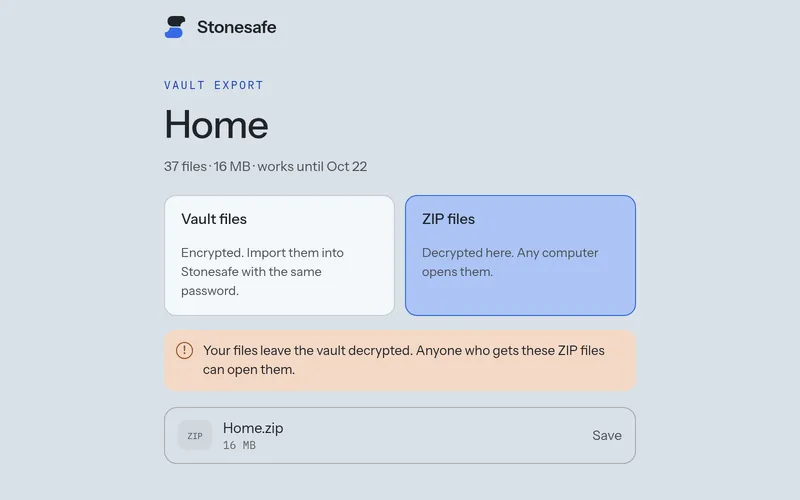
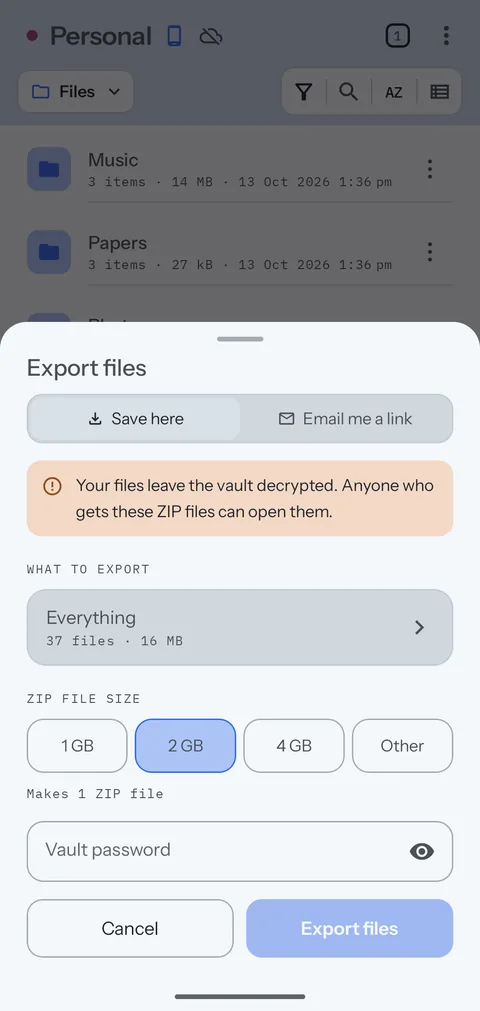
A vault with no cloud copy sends its encrypted files up for an emailed link. They count against your storage until the link ends.
Sign-ins
See every phone and browser signed in to your account, when each one was last used, and sign any of them out.
New sign-in alertWeb
The web app tells you when another device signs in, with a button to sign it out.
Change email
Move the account to a new address with your password and a code sent to each address. If you lost the old one, the change can wait 7 days instead, and the old address is told.
Themes
Five themes, each with a light and a dark look, or follow the device.
Keyboard shortcutsWeb
For search, notes, the players, locking and tabs. Ctrl / lists them all.