Guides / 03
Share a file with a link
The person you send the link to opens it in a browser. They need no account.
03Guide
Steps
- Open the file's menu (⋮) and choose Share link.
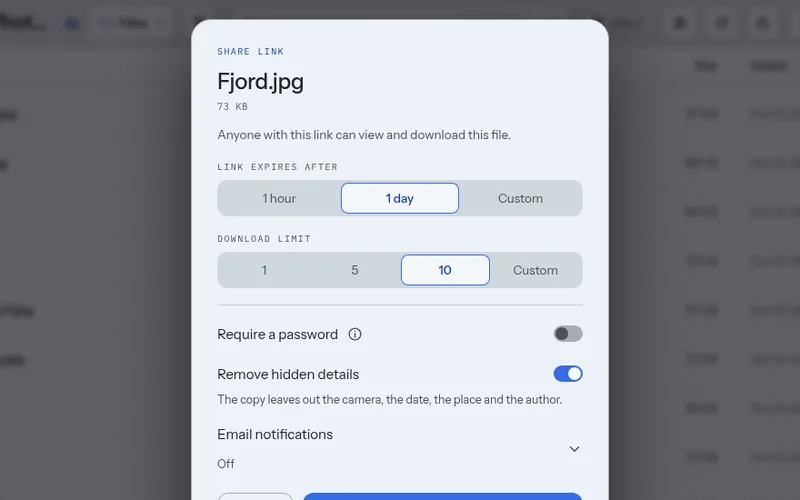
- Choose how long the link works: 1 hour, 1 day, or a custom time.
- Choose how many downloads it allows.
- If you want, turn on Require a password.
- Choose Create link, then copy the link.
Good to know
- Send the password in another way than the link, for example in a call.
- Remove hidden details is on at first for photos and PDFs. The shared copy then leaves out the camera, the dates, the place and the author.
- Stop sharing ends the link at once. Deleting the file does not.
- On the free plan a link lasts up to 24 hours and allows up to 10 downloads. Paid plans allow 30 days and 100 downloads.
Next guide: Send files with Stonedrop