Guides / 10
Back up a phone folder
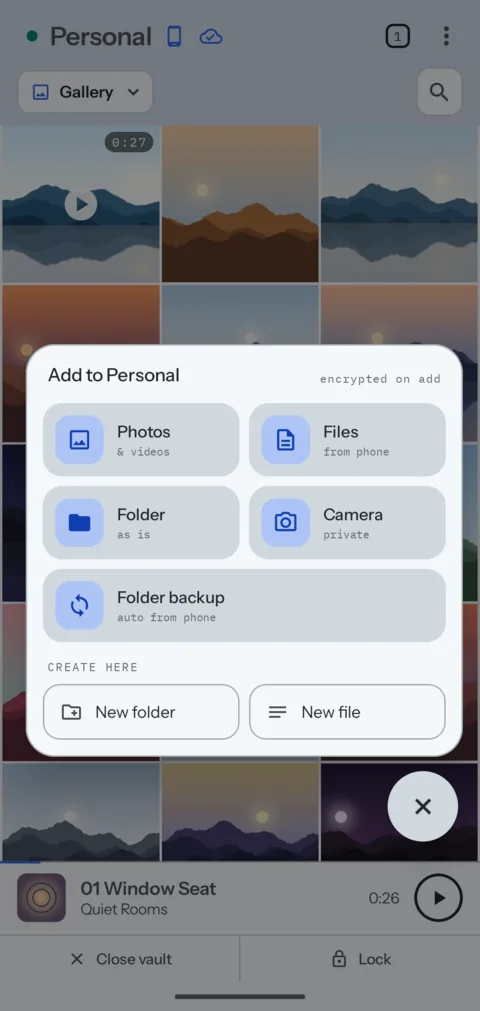
Folder backup watches one folder on the phone, such as Camera, and puts each new file in a vault. It works while the vault is locked.
10Guide
Steps
- Open the vault, and go to the folder the files should go into.
- Tap +, then Folder backup.
- Choose This folder, or Choose a folder to pick another place in the vault.
- Pick the phone folder, such as DCIM/Camera, and allow access to it.
- Set the Schedule, and turn on Delete from phone after backup if you want the originals gone. Then choose Start backup.
Good to know
- The app gets access to the folder you picked, and to nothing else.
- Photos on Wi-Fi only and Videos on Wi-Fi only are in Settings, under Folder backup.
- Folder backups in the vault menu lists each backup and its state.
- The phone can add files to a locked vault but cannot read them back. They appear the next time you open the vault.
Next guide: Change your account email